



Planning a Website
Real Estate Website: More Valuation and Sales Inquiries, Straight to the CRM


Key takeaways
- A real estate website gets more inquiries when owners who want a valuation and buyers who ask about a specific property have separate entry points and separate forms
- 74% of surveyed owners consider a free property valuation before choosing a broker especially important (ImmoScout24, 836 owners, 2023/2024)
- According to an HBR study (2,241 companies), those who contact online inquiries within one hour qualify them almost seven times as often as those who wait one hour longer
- The CRM handover runs through a form, webhook or plugin and the CRM interface, and it is as possible in Webflow as in WordPress
- No provider should promise "CRM integration" across the board, but be able to show the path of the data all the way to the entry in the specific system
Short answer: A real estate website brings more inquiries when it addresses owners and prospective buyers separately, asks only for what is needed in the form, and gets every inquiry to the right person in minutes, not days. Technically, that means: a form, a handover via webhook, plugin or API, and an entry in the CRM without anyone retyping data. That works in Webflow just as well as in WordPress. What matters is less the system than the chain behind it.
Key points
- There are two different inquiries: the valuation inquiry from owners and the sales inquiry about a property or project. They need their own pages, their own forms and often their own contacts.
- Before choosing a broker, owners want an estimate of the value: 74% consider a free valuation especially important (ImmoScout24, 836 owners).
- Speed counts: according to a study in the Harvard Business Review, companies that responded within one hour qualified leads almost seven times as often as with a one-hour delay.
- The CRM handover is a data flow with failure cases. Plan for assignment, duplicates, consent and retries on failure.
- Ask agencies for the concrete path of the data into your system, not for the claim "we can do CRM".
Contents
- Two types of inquiry, two paths
- What owners want to know before choosing a broker
- The form for the valuation inquiry
- The sales inquiry at a developer
- Speed: how fast to respond, and who responds
- CRM handover: how the data arrives
- Webflow or WordPress for the integration
- Data protection along the chain
- Measuring what actually arrives
- Visibility: Google, AI search and the growth package
- Checklist
- Common mistakes
- When you do not need an agency
- How we implement this
- Frequently asked questions
Two types of inquiry, two paths
Many real estate websites have exactly one contact form. That is convenient for the site and impractical for everyone else. An owner who wants to know what their house is worth and a prospect who wants to reserve an apartment in a new-build project want completely different things and need different answers.
| Valuation inquiry | Sales inquiry | |
|---|---|---|
| Who asks | Owners who want to sell, rent out or know their value | Buyers, tenants, investors with a specific property or project in mind |
| What they need | Estimate, trust in the person, process | Availability, price, floor plan, appointment |
| Typical form | Address, property type, request for a callback or appointments | Property or unit, contact, preferred appointment |
| Who answers | Broker or acquisition team | Developer's sales team or property manager |
| What counts in the CRM | Owner contact with property data and source | Prospect with property reference and status |
The separation has two advantages. First, each page matches one intention, which helps both visitors and search engines. Second, inquiries land in the CRM already sorted: someone who came as an owner is not accidentally filed in the buyer list. How to separate the entry points on the site is covered in detail in the guide 3D visualization and separate target groups on real estate websites.
What owners want to know before choosing a broker
The figures on the owner side mostly come from ImmoScout24 and should therefore be read as platform surveys, not neutral market research. They still show clear patterns.
In a survey of 836 owners who were planning a sale in the second half of 2023 or had just completed one, about 63% planned to hire a brokerage, and only about one in five wanted to sell without a broker. 74% considered a free property valuation before awarding the contract especially important. The respondents named low costs (73%), a high price (68%) and avoiding "viewing tourism" (65%) as further priorities (ImmoScout24, survey of owners and brokers, 2024). In an older, non-representative survey of ImmoScout24 users (388 responses, April 2021), 46% said they did not know the value of their property (ImmoScout24, 2021). On the broker side, 71% of surveyed brokers focus their advice on owners (ImmoScout24 and Propstack, 350 brokers, February 2025).
What follows for the website? The entry point "What is my property worth?" is the natural first step for owners. A page that offers only "Contact" skips this stage. A concrete bridge can be a valuation inquiry in which you say honestly what happens: a personal assessment by a human being, after a short conversation or an on-site appointment, within a stated time frame.
Promise only what you can deliver. An "instant market value" from three inputs is rarely reliable, and owners notice. If you use a valuation tool, name the data basis and the limits, and offer the personal assessment as the next step.
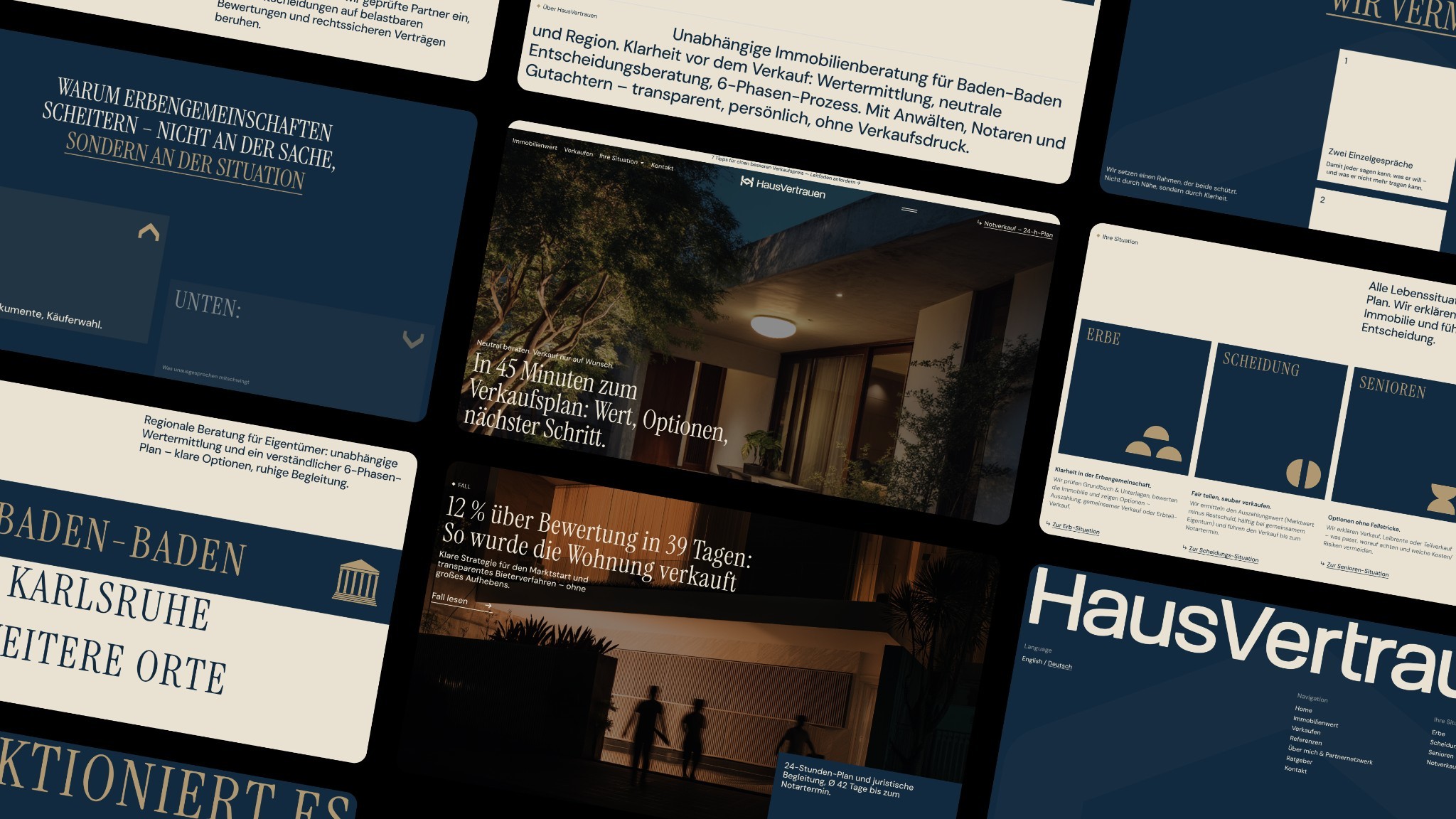
The form for the valuation inquiry
Every field costs inquiries, every missing field costs quality. There is no universal number for this. You have to balance it with your own data. As a starting point, the distinction between required, useful and later helps:
| Field | Classification | Reason |
|---|---|---|
| Name and way to reach them (phone or email) | Required | Without it, no reply. Whoever calls needs the number. |
| Address or location of the property | Required, but only town and street | Enough for a first assessment and for assigning the area. |
| Property type (apartment, house, plot, commercial) | Required, as a selection | Determines who on the team is responsible. |
| Goal (sell, rent out, know the value) | Useful, as a selection | Steers the response and the CRM phase. |
| Year built, area, condition | Later | Comes up in the conversation or at the appointment, otherwise lowers the completion rate. |
| Energy certificate, documents | Later | Requested later in the process. |
| Time frame | Optional | Helps with prioritization. |
This is a rule of thumb from practice, not a proven rule. Test it with your real data, for example with two form variants over several weeks. How to evaluate that cleanly is covered in the guide on the CRO agency for B2B websites and on the service page Conversion optimization.
Three details often decide more than the number of fields:
- The button says what happens. "Submit" is empty. "Request valuation and get a callback" is concrete.
- The note after submitting is accurate. "We will get back to you within X" only if the team keeps to it. A confirmation email with the name of the contact person feels more personal than an anonymous standard email.
- Phone and appointment booking as an alternative. Not everyone fills out a form. How to make appointments bookable directly on the website is covered in the guide Integrating appointment booking into your website.
The sales inquiry at a developer
Developers with their own sales team have a different problem than brokers. They sell a limited number of units in a project, often over months, and the sales team maintains prospects in a CRM. The website therefore has to do two things: qualify prospects and give the sales team context.
What works in practice:
- Inquiry at the property. The form knows the unit it was sent from (for example "Building B, apartment 3.02") and passes this information to the CRM. Otherwise sales has to ask which apartment was meant.
- Availability as a status. Reserved and sold are visible, so inquiries target what is available. In the Webflow CMS, this can be mapped with a status field, as the article Property pages and property search in the Webflow CMS shows.
- Several ways to inquire. Callback, appointment, brochure request.
- Pre-registration instead of either-or. 69% of apartment seekers want to know early which apartments will become available soon, according to a Scout24 survey (500 respondents, March 2026, Scout24). A pre-registration list for upcoming units catches prospects who find nothing today. The survey concerns rental apartments, and whether the figure holds for the purchase market is open.
A developer's sales team usually has different needs than a brokerage office: fewer inquiries, higher value per contact. That argues for short paths, personal contacts and precise status logic in the CRM, not for maximum volume.
Speed: how fast to respond, and who responds
The best-known study on response time to online inquiries comes from Oldroyd, McElheran and Elkington and appeared in the Harvard Business Review in 2011. The researchers sent test inquiries to 2,241 US companies. 37% responded within one hour, 23% did not respond at all, and on average the response took 42 hours. Companies that made contact within one hour qualified the inquiry almost seven times as often as companies that responded one hour later. Compared with companies that waited 24 hours or longer, the factor was over 60. Qualifying meant having a meaningful conversation with an important decision maker (overview at SmartCompany, original article: HBR, 2011).
Two caveats belong here. The study is 15 years old, comes from the US and mostly examines companies outside the real estate industry. And the relationship shows that fast responses go along with better qualification, not automatically that every speed-up has the same effect. As a direction it is still useful: if you answer inquiries after days, you give away prospects.
In practice, this means:
- One clear responsibility. After the handover, every inquiry has exactly one owner in the CRM, not one mailbox for everyone.
- Notification where the work happens. Push, phone or chat instead of email only. If you read your email at nine in the morning, you have missed the evening lead.
- A backup rule. Vacation and viewing appointments are normal. The inquiry must not sit.
- A measurement of response time. The CRM knows the time of receipt and the time of response. A simple monthly evaluation shows where things get stuck.
CRM handover: how the data arrives
Behind "inquiry straight into the CRM" is a chain of four links: form, trigger, transfer, entry. Every link can fail. So do not plan only for the normal case.
The four links
- Form. Captures the data and the consent or the privacy notice. Gets hidden fields for source, page, property and campaign.
- Trigger. The form fires an event: a webhook, a plugin hook or a call to an automation platform.
- Transfer. A service or script receives the data, checks it, converts it to the target format and calls the CRM interface.
- Entry. The CRM creates the contact, the inquiry and, where applicable, a task, assigns it and notifies someone.
Which paths exist
| Path | How it works | Strength | Limit |
|---|---|---|---|
| Webflow form plus webhook | Webflow knows the event form_submission, which delivers form name, data and timestamp. A webhook can be filtered to a specific form. |
Clean, no extra plugin | At most 75 webhooks per event type, at most 3 retries at 10-minute intervals on errors |
| Direct API call to the CRM | Your own script or cloud function calls the CRM API | Full control over fields, validation, duplicates | Maintenance is on you or the agency |
| Automation service as an intermediate layer | Zapier, Make or similar services connect form and CRM | Quick to set up | Additional vendor, cost per execution, check data protection |
| Embed the CRM vendor's form | For example a HubSpot form or a form from the broker software | Little technology | Less design freedom, the form is a third-party component |
| WordPress plugin with an interface | A real estate plugin or form plugin takes the inquiries and passes them on to the CRM | Often prebuilt | Feature set depends on the plugin |
The information on Webflow comes from the developer documentation (Webflow, Working with webhooks). Webflow signs webhooks created through a site token or an app with an HMAC. You verify the signature and discard calls older than five minutes. Webhooks created in the dashboard do not carry these signature headers, which must be considered in the security concept.
On the CRM side, the options vary widely. The onOffice API, for example, allows creating and reading addresses and properties according to its documentation, but it is a paid module for enterprise customers (onOffice, API documentation). With HubSpot, form data from external websites can be sent to a form endpoint, and the form type "captured" is meant for HTML forms on third-party sites (HubSpot, Forms API). For other systems such as Propstack, FlowFact or Salesforce, you should check the vendor's current documentation and terms.
What can go wrong in the chain
- Recipient outage. CRM maintenance, timeout, expired API key. Without retries and an alert, the inquiry is lost. Also set up an email notification to the team so that never only a single route carries the load.
- Duplicates. The same prospect inquires three times. The CRM should match by email or phone and assign the new inquiry to the existing contact.
- Field mapping. "Property type: apartment" must hit the right selection field in the CRM. A mapping table in the project prevents arguments.
- Missing consent. Anyone who wants newsletters or advertising needs a separate, voluntary consent for that. More on this below.
- Spam. Open forms attract bots. A honeypot field, server-side validation and rate limits help.
Webflow or WordPress for the integration
The question "Which agencies have already built WordPress-CRM integrations?" is legitimate, but it skips ahead by one question. First you clarify what you want to connect and which interface your CRM offers. After that, it becomes clear whether Webflow, WordPress or a combination is the better route.
| Criterion | Webflow | WordPress |
|---|---|---|
| Form to CRM | Via webhook, API or automation, to be built yourself | Often via a form plugin or real estate plugin with ready-made connections |
| Import of properties from the broker software | Only via your own interface (Data API) | Possible with plugins such as WP-ImmoMakler via OpenImmo |
| Design freedom | Very high | Depends on theme and plugin |
| Operations | Hosting and updates through Webflow | Updates for WordPress, theme and plugins required |
| Suited for | Brands with a few, staged projects | Many changing properties with portal connection |
More on property data and plugin prices is in the article Property pages and property search in the Webflow CMS, and the fundamental comparison is in the guide Webflow or WordPress: SEO and visibility in AI search. The general guide to connecting a website and a CRM is in the guide Connecting your website and CRM.
Questions you should ask every agency, whatever system it works with:
- For which CRM have you already built an integration, and can you show the chain from form to entry?
- What happens when the CRM is not reachable?
- How do you avoid duplicates?
- Who maintains the connection after launch, and what happens when the CRM vendor updates its API?
- Where does the data sit along the way, and which services are involved (data processing agreement)?
- Which fields are passed along, and what does the mapping look like?
An agency that answers these concretely knows the route. Whoever only says "sure, we'll do it" probably has not built it yet.
Data protection along the chain
A form collects personal data. The GDPR (DSGVO) requires that data subjects be informed at the time of collection about the purpose, the controller, the legal basis and the storage period (GDPR, Art. 13). The notice belongs visibly at the form and links to the privacy policy.
Practical points follow from this:
- Separate the purposes. Processing the inquiry has a different basis than a newsletter. Never pre-tick the newsletter consent and do not tie it to the inquiry.
- Know your service providers. Every service that processes the data (CRM, automation, form provider) belongs in the privacy policy and needs a data processing agreement.
- Deletion concept. When are unanswered inquiries deleted? The CRM should map retention periods.
- Tracking separately. Reading information on the end device, for example through analytics or advertising scripts, is governed by § 25 TDDDG (German Telecommunications Digital Services Data Protection Act) and in many cases requires consent (e-recht24, TDDDG). Technical details are in the guide Cookie consent under TDDDG.
This is not legal advice. Have the concrete implementation reviewed by a data protection consultant or a law firm. For real estate, there is an additional point: property listings are subject to the mandatory information under § 87 GEG or its successor law, including on your own website (Gesetze im Internet, § 87 GEG). The article on property pages goes into this.
Measuring what actually arrives
More inquiries are only a success if they are the right ones. Three levels help:
- Receipt. How many forms are submitted per week, separated by valuation and sales? This is the receipt figure you pull from the website itself.
- Processing. How many of them land in the CRM, and how long does it take to the first response? This figure comes from the CRM.
- Outcome. How many lead to an appointment, a mandate or a purchase? This is the only figure that counts, and it only emerges by linking the website source and the CRM status.
For this, give the form a source: page, campaign, and if applicable the property. That way you can later say which page brings inquiries that turn into mandates and which only bring clicks. Set targets based on your own baseline values, not on blog benchmarks.
Visibility: Google, AI search and the growth package
More inquiries presuppose that owners and prospects find your pages. Two questions come up again and again: is classic Google optimization enough, or is a package of SEO and GEO worthwhile so that assistants like ChatGPT also name you?
In its documentation on AI features, Google writes that no additional requirements apply for AI Overviews and AI Mode: the page must be indexed and eligible for snippets, and it benefits from the same fundamentals as good SEO, meaning clear content, internal links and clean technology (Google, AI features and your website). A "GEO special route" is therefore not needed for Google. For use by other assistants, the data is thinner.
That the questions are real is shown by usage: 50% of Germans aged 16 and over use AI chats at least occasionally for internet search (Bitkom, 2025). What this looks like specifically for real estate companies is described in the guide Outbound is saturated: real estate.
On the package question: a package of SEO and GEO makes sense if the content that matters for both is missing anyway. That means clear answer pages for owners' questions, region and neighborhood pages with real knowledge, references, and structured data that match the visible text. This is primarily content and structure work. If your site already has this foundation, an additional GEO package brings less. The service pages SEO and GEO describe what is included.
Checklist
Page and form
- Separate entry points for owners and prospects, recognizable in the navigation and on the homepage
- Valuation form with at most the necessary fields, the rest later in the conversation
- Button text that says what happens
- Privacy notice at the form, newsletter consent separate and voluntary
- Phone and appointment booking as an alternative to the form
Handover
- Mapping of each form field to a CRM field documented
- Source, page and property as hidden fields
- Webhook or API with retry on errors and an alert
- Parallel email notification to the team
- Duplicate matching by email or phone
Operations
- One responsible person per inquiry, backup rule
- Response time evaluated per month
- Responsibility for maintaining the interface after launch clarified
- Data processing agreements with all services involved
- Retention periods set in the CRM
Common mistakes
- One form for everyone. Owners, buyers and applicants end up in the same pot, and sales sorts by hand.
- Form without a property reference. Sales does not know which unit the inquiry belongs to.
- Handover without a failure-case test. After launch, the CRM changes a field, and the inquiries run into nothing without anyone noticing.
- Promises nobody keeps. "Answer within 30 minutes" on the page, but nobody is there in the evening or on weekends.
- Tracking before consent. Scripts load before the visitor decides.
- Counting only clicks. The evaluation ends at the form instead of at the mandate.
When you do not need an agency
If you have a broker's day-to-day with few inquiries per week, a CRM with a built-in website module and no special design ambitions, your provider's standard form is often enough. A form solution from the CRM vendor that you embed can also suffice. An agency is worth it when the site has to carry a brand, inquiry paths differ, several systems come together, or the handover has to be reliable in the failure case.
How we implement this
Webwavers builds real estate websites using the process on the process page: initial conversation, onboarding with 34 strategy questions, strategy conversation, design in Figma with a feedback round for each milestone, development in Webflow, Framer or WordPress and a joint launch with a personal walkthrough. A dedicated project manager and a dedicated Slack channel are part of the collaboration. We advise neutrally between Webflow and WordPress. The choice depends on your CRM and your number of properties.
As a real estate reference, there is the project page of Palmera Hills: a website in Webflow with nine service pages, seven region pages and three ways to inquire, including a property check. What your specific setup could look like, we clarify in the initial conversation.

Frequently asked questions
Which web agencies have already built WordPress-CRM integrations?
You cannot read that from a list. Ask each agency for a concrete project with your CRM or a comparable one, for the path of the data from form to entry, and for the behavior in the failure case. Ask for a demo in a test system.
Which agency demonstrably increases owners' valuation inquiries?
There are no reliable, comparable industry figures on this. A credible approach starts with your baseline, tests hypotheses and measures results at the CRM, not by clicks. Be wary of promises with fixed increase rates and no measurement concept.
Is a growth package with SEO and GEO more worthwhile for a broker website than Google optimization alone?
Google names no requirements for its AI features beyond good SEO. A package is worthwhile if you lack answer pages, region pages, references and clean structure, because this content helps for both. If you have the foundation, a GEO-only package brings less.
Which references should an agency show for a developer with a CRM?
A project with a comparable process: inquiry at the property, handover to the CRM, behavior in the failure case. Have the path of the data shown in a test system. Whether the site runs on WordPress or Webflow is secondary, what matters is the CRM and the mapping of the fields.
How fast should I respond to an inquiry?
As fast as possible, ideally within one hour. In the 2011 HBR study, companies that responded within an hour qualified inquiries almost seven times as often as with a one-hour delay. The study is old and not limited to real estate, but the direction is clear.
May I transfer inquiries to the CRM automatically?
Yes, if the data processing is transparent: a notice under Art. 13 GDPR (DSGVO) at the form, a data processing agreement with all service providers involved, a deletion concept and a separate consent for advertising. Have the implementation reviewed legally.
Webflow or WordPress, which is better for the CRM integration?
Both work. WordPress often has ready-made plugins for broker software and forms, while Webflow offers more design freedom and runs via webhook or API. What matters is which CRM you use and how many properties you manage.
Conclusion
More inquiries come from three things: entry points that match the two types of inquiry, forms that ask only what is needed, and a chain into the CRM that holds even in the failure case. The system question is secondary. Judge every agency by the path the data takes, and measure the result by the mandate, not the click.
If you are looking for support with this, you will find it on our pages for Web development and Conversion optimization.
Sources
- ImmoScout24: Umfrage Eigentümer und Makler (08.05.2024) (survey of owners and brokers, May 8, 2024)
- ImmoScout24: Fast die Hälfte der Eigentümer kennt den Wert nicht (28.04.2021) (almost half of owners do not know the value, April 28, 2021)
- ImmoScout24 und Propstack: Umfrage unter 350 Maklern (09.09.2025) (survey of 350 brokers, September 9, 2025)
- Scout24: Umfrage Wohnungssuche (März 2026) (apartment search survey, March 2026)
- Harvard Business Review: The Short Life of Online Sales Leads (2011)
- SmartCompany: Are you letting online leads go cold? (04.07.2011)
- Webflow Developers: Working with webhooks
- onOffice: API-Dokumentation (API documentation)
- HubSpot Developers: Forms API
- EUR-Lex: DSGVO (Verordnung 2016/679) (GDPR, Regulation 2016/679)
- e-recht24: TDDDG
- Gesetze im Internet: § 87 GEG, Pflichtangaben in Immobilienanzeigen (§ 87 GEG, mandatory information in real estate listings)
- Google: KI-Funktionen und deine Website (AI features and your website)
- Bitkom: Internet-Suche im Wandel, die Hälfte nutzt KI-Chats (20.11.2025) (internet search in transition, half use AI chats, November 20, 2025)
- Webwavers: Process
- Webwavers: Project Palmera Hills
More guides
All guides
PHP2Shell: Is your TYPO3 or WordPress website affected? What you need to do now
Oct 21, 2026
Read more



Branding Agency, Freelancer or In-House: What Pays Off for Mid-Sized Companies?
Oct 31, 2026
Read more


GEO for B2B Industries: How Expert Content Gets Cited in ChatGPT and Perplexity
Oct 31, 2026
Read more


Wix, Squarespace, Jimdo or Webflow: Which Platform Can Carry a Company Website?
Oct 31, 2026
Read more








